
What’s the Difference Between Break-Fix IT and Managed IT Services, and Which Does My Business Need?
Quick answer: Break-fix IT means you call a technician when something breaks and pay for the repair. Managed IT means a provider takes ongoing responsibility for your technology, monitoring, patching, securing, and supporting it every day so fewer things break in the first place. Break-fix can work for very small offices with simple needs. Most businesses that rely on their computers, email, and data every day are better served by managed IT, because the cost of downtime and security incidents is higher than the cost of prevention.
What is Break-fix IT?
Break-fix is the traditional model: a printer stops working, a server crashes, or someone gets locked out, and you call a technician. They fix the problem, send an invoice, and leave until the next call.
The appeal is simple. You only pay when you need help, and there’s no ongoing commitment. The catch is that nobody is watching your systems between calls. Problems tend to be found by your employees when they’re already causing downtime.
What are Managed IT Services?
With managed IT, a provider (often called a managed service provider, or MSP) acts as your IT department. Instead of reacting to individual problems, they own the health of your environment. That usually includes:
- Around-the-clock monitoring of computers, servers, and network equipment, with alerts when something starts failing
- Patch and update management for Windows, Mac, and business software
- Security tools and oversight, such as endpoint detection and response, email filtering, and multi-factor authentication
- Backup management and restore testing
- Help desk support for your employees
- Planning and advice, including hardware refresh schedules, budgeting, and compliance guidance
The relationship is ongoing, and the provider’s incentives line up with yours: the fewer problems you have, the better they’re doing their job.
How do Break-fix and Managed IT Compare?
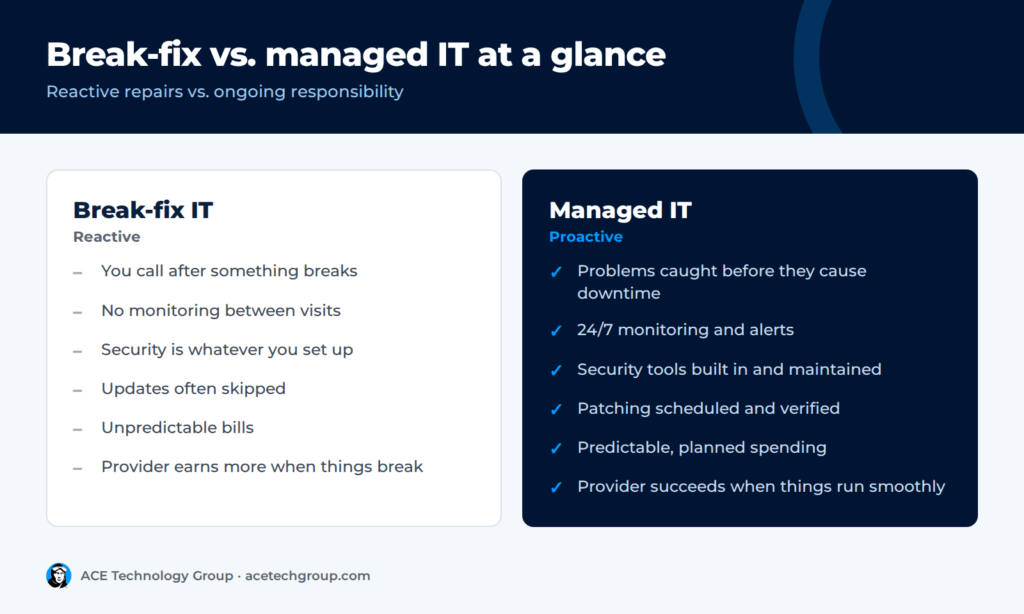
|
|
Break-fix IT
|
Managed IT
|
|---|---|---|
|
When help happens
|
After something breaks
|
Continuously, before and after problems
|
|
Monitoring
|
None between calls
|
Ongoing, often 24/7
|
|
Security
|
Usually whatever you set up yourself
|
Built into the service and actively maintained
|
|
Patching and updates
|
Often skipped or inconsistent
|
Scheduled and verified
|
|
Budgeting
|
Unpredictable bills
|
Predictable, planned spending
|
|
Provider incentive
|
More problems means more billable work
|
Fewer problems means a healthier relationship
|
|
Knowledge of your systems
|
Rebuilt each visit
|
Documented and kept current
|
|
Best fit
|
Very small, low-risk offices
|
Businesses that depend on uptime and data
|
Why are Most Businesses Moving Away from Break-fix?
Three things have changed over the last decade.
Security is now a daily job. Ransomware, phishing, and business email compromise target small businesses constantly. Protecting a business means patching, monitoring, and responding to threats all the time, which doesn’t fit a call-when-broken model.
Cyber insurance and compliance expect proof. Insurers routinely ask whether you enforce multi-factor authentication, run endpoint detection and response, and test your backups. Healthcare, legal, and financial firms have their own regulatory expectations. Break-fix arrangements rarely produce the documentation those questions require.
Downtime costs more than it used to. When email, phones, and line-of-business software all live on your network or in the cloud, one outage can stop the whole office.
When does Break-fix Still Make Sense?
Break-fix can be reasonable if all of the following are true:
- You have only a few computers and very simple needs
- You don’t handle sensitive client, patient, or financial data
- A day or two without your systems wouldn’t seriously hurt the business
- You have someone in-house who handles updates, backups, and basic security
If any of these don’t describe you, a managed model is usually the safer choice.
What About Co-Managed IT?
If you already have an internal IT person or small team, you don’t have to choose one extreme. Co-managed IT lets your staff handle day-to-day needs while an MSP provides monitoring, security tools, after-hours coverage, and specialized expertise. It’s a common path for growing organizations that have outgrown one person doing everything.
How do I Know Which Model my Business Needs?
Ask yourself these questions:
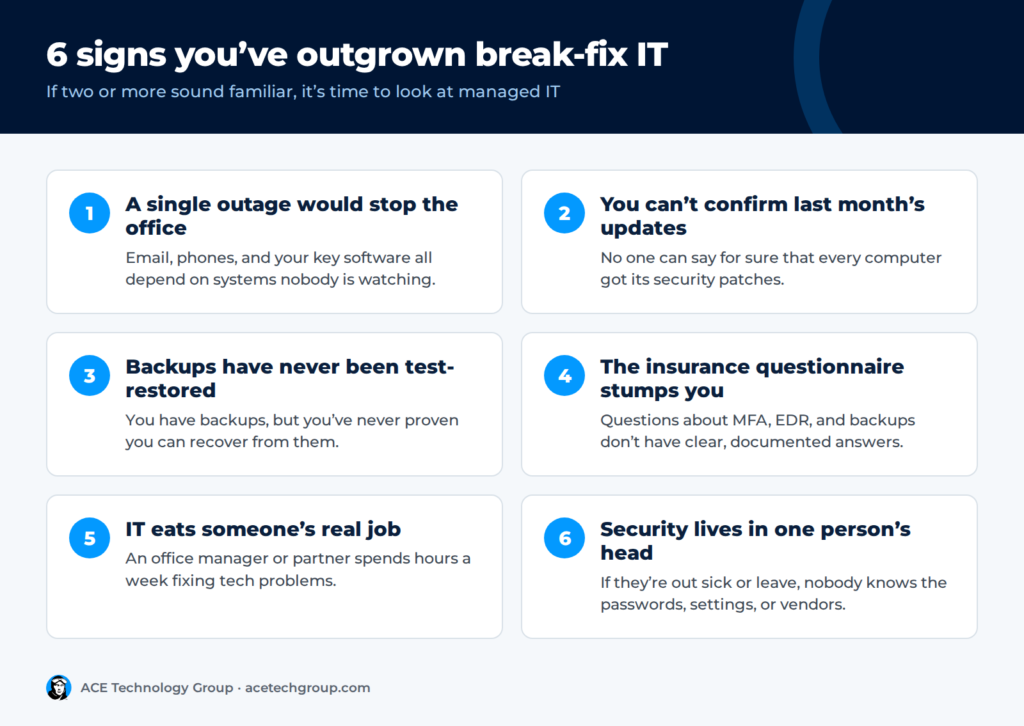
- If our main server or cloud system went down this afternoon, how long could we operate?
- Do we know, right now, whether every computer received last month’s security updates?
- When did we last test restoring data from our backups?
- Could we answer a cyber insurance security questionnaire honestly and completely?
- Is IT support taking time away from someone’s real job?
If you hesitated on two or more, you’ve likely outgrown break-fix.
How does ACE Technology Group Approach Managed IT?
ACE Technology Group works as a fully remote IT department for small and mid-sized businesses throughout Phoenixville and the greater Philadelphia area, whether you have five PCs or hundreds. Our services cover support, security, cloud hosting, VoIP phones, and compliance, with a personal, friendly approach for each client.
Wondering whether your current setup is putting you at risk? Call ACE at (610) 477-4223 or talk to our team for a no-pressure conversation about what fits your business.
________
Frequently Asked Questions
What is break-fix IT support?
Break-fix IT is a reactive support model where you contact a technician only when something stops working and pay for each repair. There is no ongoing monitoring or maintenance between service calls.
What does a managed service provider do?
A managed service provider (MSP) takes ongoing responsibility for a business’s technology. That typically includes monitoring, patching, security, backups, help desk support, and technology planning.
Is managed IT better than break-fix?
For most businesses that rely on computers and data every day, yes. Managed IT prevents many problems before they cause downtime and keeps security consistent. Break-fix can still work for very small offices with simple, low-risk needs.
What is co-managed IT?
Co-managed IT is a partnership where a company’s internal IT staff work alongside a managed service provider. The provider typically adds monitoring, security tools, after-hours coverage, and specialized expertise.
Does managed IT help with cyber insurance?
Yes. Insurers commonly require controls like multi-factor authentication, endpoint detection and response, and tested backups, along with proof they’re in place. A managed provider maintains those controls and the documentation insurers ask for.